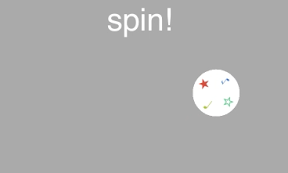

ボールにバックスピンをかけて遊ぶiPhoneアプリのサンプルコードを描いてみます。
#import “ViewController.h”
#import <SpriteKit/SpriteKit.h>
@interface BackspinScene : SKScene
@end
@implementation BackspinScene
– (void)didMoveToView:(SKView *)view
{
self.backgroundColor = [SKColor lightGrayColor];
[self createGround];
[self createBall];
[self createButton];
}
– (void)createGround
{
self.physicsBody = [SKPhysicsBody bodyWithEdgeLoopFromRect:self.frame];
self.physicsBody.dynamic = NO;
}
– (void)createBall
{
UIBezierPath *path = [UIBezierPath bezierPathWithOvalInRect:CGRectMake(-30, –30, 60, 60)];
SKShapeNode *ball = [SKShapeNode node];
ball.name = @”ball”;
ball.path = path.CGPath;
ball.fillColor = [SKColor whiteColor];
ball.lineWidth = 0;
ball.position = CGPointMake(50, 50);
[self addChild:ball];
ball.physicsBody = [SKPhysicsBody bodyWithCircleOfRadius:30];
ball.physicsBody.restitution = 0.3;
ball.physicsBody.friction = 1.0;
NSArray *marks = @[@”★”, @”♩”, @”☆”,@”♪”];
for (int i=0; i<4; i++) {
float x = 25 * cos(i * M_PI_2);
float y = 25 * sin(i * M_PI_2);
SKLabelNode *l = [SKLabelNode node];
l.position = CGPointMake(x, y);
l.fontSize = 15;
l.fontColor = [SKColor colorWithHue:0.2 * i saturation:0.7 brightness:0.8 alpha:1.0];
l.zRotation = (i + 1) * M_PI_2;
l.text = marks[i];
[ball addChild:l];
}
}
– (void)createButton
{
SKLabelNode *btn = [SKLabelNode node];
btn.name = @”btn”;
btn.text = @”spin!”;
btn.fontSize = 40;
btn.fontColor = [SKColor whiteColor];
btn.position = CGPointMake(CGRectGetMidX(self.frame), CGRectGetMaxY(self.frame) – 80);
[self addChild:btn];
}
– (void)touchesBegan:(NSSet *)touches withEvent:(UIEvent *)event
{
CGPoint p = [[touches anyObject] locationInNode:self];
SKNode *btn = [self childNodeWithName:@”btn”];
if ([btn containsPoint:p]) {
[self fire];
}
}
– (void)fire
{
SKNode *ball = [self childNodeWithName:@”ball”];
[ball.physicsBody applyImpulse:CGVectorMake(60, 80)];
[ball.physicsBody applyAngularImpulse:0.1];
}
@end
@interface ViewController ()
@end
@implementation ViewController
– (void)viewDidAppear:(BOOL)animated
{
SKView *spriteView = [[SKView alloc] initWithFrame:self.view.bounds];
[self.view addSubview:spriteView];
SKScene *scene = [[BackspinScene alloc] initWithSize:spriteView.frame.size];
[spriteView presentScene:scene];
}
@end