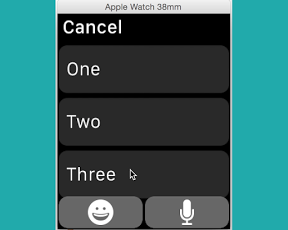

Apple Watchでボタンを押して、iPhoneにアラートを表示させるサンプル
[storyboard] ——————————————————

[InterfaceController.swift] ——————————————————
import WatchKit
import Foundation
class InterfaceController: WKInterfaceController {
@IBAction func pushButton() {
presentTextInputControllerWithSuggestions([“One”, “Two”, “Three”],
allowedInputMode:WKTextInputMode.AllowAnimatedEmoji,
completion: { results in
WKInterfaceController.openParentApplication([“testText” : results[0]], reply:nil)
});
}
}
[AppDelegate.swift] ——————————————————
import UIKit
@UIApplicationMain
class AppDelegate: UIResponder, UIApplicationDelegate {
var window: UIWindow?
func application(application: UIApplication, handleWatchKitExtensionRequest userInfo: [NSObject : AnyObject]?, reply: (([NSObject : AnyObject]!) -> Void)!) {
UIAlertView(title: “Test”, message: “\(userInfo!)”, delegate: nil, cancelButtonTitle: “OK”).show()
}
}