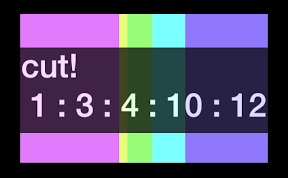

大きい塊にしながら効率よく板を分けてみるiPhoneアプリのサンプルコードを描いてみます。
#import “ViewController.h”
#include <memory>
#include <vector>
using namespace std;
class mqueue {
public:
void push(int);
int pop();
int size = 0;
private:
int heap[1000];
};
void mqueue::push(int x) {
int i = size++;
while(i > 0) {
int p = (i – 1) / 2;
if(heap[p] <= x) break;
heap[i] = heap[p];
i = p;
}
heap[i] = x;
}
int mqueue::pop() {
int min = heap[0], tail = heap[–size];
int i = 0;
while (i*2+1 < size) {
int a = i*2+1, b = a+1;
if (b < size && heap[b] < heap[a]) a = b;
if (heap[a] >= tail) break;
heap[i] = heap[a];
i=a;
}
heap[i] = tail;
return min;
}
class PlateSolver {
public:
void solve(int, vector<int>);
private:
void notify(int, int);
};
void PlateSolver::solve(int n, vector<int>vec) {
long res = 0;
mqueue que;
for (int i=0; i<n; i++) {
que.push(vec[i]);
}
while (que.size > 1) {
int l0 = que.pop(), l1 = que.pop();
res += l0 + l1;
que.push(l0 + l1);
notify(l0, l1);
}
}
void PlateSolver::notify(int a, int b) {
[[NSNotificationCenter defaultCenter] postNotificationName:@”cut” object:@[@(a), @(b)]];
}
@interface ViewController ()
@property (nonatomic) int count;
@end
@implementation ViewController
– (void)viewDidLoad {
[super viewDidLoad];
self.view.backgroundColor = [UIColor blackColor];
UIView *bar = [[UIView alloc] initWithFrame:CGRectMake(0, 0, 300, 180)];
bar.backgroundColor = [UIColor yellowColor];
bar.center = CGPointMake(CGRectGetMidX(self.view.bounds), 150);
bar.tag = 30;
[self.view addSubview:bar];
UILabel *title = [[UILabel alloc] init];
title.text = @”cut! \n 1 : 3 : 4 : 10 : 12″;
title.numberOfLines = 0;
title.font = [UIFont boldSystemFontOfSize:40];
title.textColor = [UIColor whiteColor];
[title sizeToFit];
title.center = CGPointMake(CGRectGetMidX(self.view.bounds), 340);
[self.view addSubview:title];
[[NSNotificationCenter defaultCenter] addObserver:self selector:@selector(cut:) name:@”cut” object:nil];
}
– (void)cut:(NSNotification *)note {
self.count++;
float hue = self.count * 0.2;
NSArray *plates = note.object;
dispatch_after(dispatch_time(DISPATCH_TIME_NOW, (int64_t)((6 – self.count) * NSEC_PER_SEC)), dispatch_get_main_queue(), ^{
int l0 = [plates[0] intValue];
int l1 = [plates[1] intValue];
UIView *v = [self.view viewWithTag:l0 + l1];
UIView *v1 = [[UIView alloc] initWithFrame:CGRectMake(0, 0, l0 * 10, 180)];
v1.backgroundColor = [UIColor colorWithHue:hue saturation:0.6 brightness:2 alpha:1];
v1.tag = l0;
UIView *v2 = [[UIView alloc] initWithFrame:CGRectMake(0, 0, l1 * 10, 180)];
v2.backgroundColor = [UIColor colorWithHue:hue + 0.1 saturation:0.6 brightness:2 alpha:1];
v2.tag = l1;
v1.center = CGPointMake(CGRectGetMinX(v.frame) + l0 * 5.0, v.center.y);
v2.center = CGPointMake(CGRectGetMaxX(v.frame) – l1 * 5.0, v.center.y);
[self.view addSubview:v1];
[self.view addSubview:v2];
});
}
– (void)touchesBegan:(NSSet *)touches withEvent:(UIEvent *)event {
int l[] = {1, 3, 4, 10, 12};
vector<int> vec(l, l+5);
shared_ptr<PlateSolver> cppClass(new PlateSolver());
cppClass->solve(5, vec);
}
@end