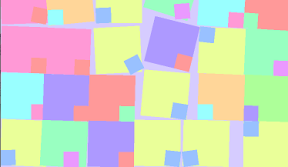

小さい箱を大きい箱にピンで留めてどんどん落としていくiPhoneアプリのサンプルコードを描いてみます。
#import “ViewController.h”
@import SpriteKit;
@interface ViewController ()
@property (nonatomic, weak) SKScene *scene;
@end
@implementation ViewController
– (void)viewDidLoad {
[super viewDidLoad];
[self setupScene];
[self createPinedObject];
}
– (void)setupScene {
SKView *sv = [[SKView alloc] initWithFrame:self.view.bounds];
[self.view addSubview:sv];
SKScene *s = [[SKScene alloc] initWithSize:sv.frame.size];
s.backgroundColor = [UIColor colorWithHue:0.7 saturation:0.2 brightness:1 alpha:1];
[sv presentScene:s];
self.scene = s;
// floor
SKSpriteNode *floor = [SKSpriteNode spriteNodeWithColor:[UIColor brownColor] size:CGSizeMake(CGRectGetMaxX(self.view.bounds), 10)];
floor.position = CGPointMake(CGRectGetMidX(self.view.bounds), floor.size.height / 2.0);
floor.physicsBody = [SKPhysicsBody bodyWithRectangleOfSize:floor.size];
floor.physicsBody.dynamic = NO;
floor.physicsBody.restitution = 1.0;
[self.scene addChild:floor];
}
– (SKNode *)createPinedObject {
float hue1 = (arc4random() % 10) * 0.1;
float hue2 = (hue1 * 10.0 + 4.0) * 0.1;
UIColor *color1 = [UIColor colorWithHue:hue1 saturation:0.4 brightness:1 alpha:1];
UIColor *color2 = [UIColor colorWithHue:hue2 saturation:0.4 brightness:1 alpha:1];
SKSpriteNode *p = [SKSpriteNode spriteNodeWithColor:color1 size:CGSizeMake(60, 60)];
p.position = CGPointMake(120, 120);
p.physicsBody = [SKPhysicsBody bodyWithRectangleOfSize:p.size];
p.physicsBody.restitution = 1.0;
p.physicsBody.affectedByGravity = NO;
[self.scene addChild:p];
p.constraints = @[[SKConstraint positionX:[SKRange rangeWithLowerLimit:30 upperLimit:CGRectGetMaxX(self.view.bounds)-30]]];
SKSpriteNode *child = [SKSpriteNode spriteNodeWithColor:color2 size:CGSizeMake(20, 20)];
child.position = CGPointMake(20, 20);
child.physicsBody.affectedByGravity = NO;
child.physicsBody = [SKPhysicsBody bodyWithRectangleOfSize:child.size];
child.physicsBody.pinned = YES;
[p addChild:child];
return p;
}
– (void)touchesBegan:(NSSet *)touches withEvent:(UIEvent *)event
{
CGPoint p = [[touches anyObject] locationInNode:self.scene];
SKNode *n = [self createPinedObject];
n.position = p;
}
@end